Digital dental work, organised from scan to delivery.
A connected workspace for dentists, technicians and Labs: structure the clinical request, plan the work, verify the geometry and prepare a traceable production handoff.
A connected workspace for dentists, technicians and Labs: structure the clinical request, plan the work, verify the geometry and prepare a traceable production handoff.

Margins, contacts, clearance and thickness are checked before the final CAD handoff.
Reads prepared, opposing and bite scans together with clinical photos and references.
Supports fixed, removable, implant and review-only work in one Case.
Keeps materials, shades, files, machine targets and task notes together.
Checks mesh quality, fit-related gates, thickness, clearance, contacts and occlusion.
 DECAD/CAM materials
 DEShade systems
 LIRestorative materials
 JPDental materials
 DEDental materials
 US3D printing
 CNScanning
 DEMilling
 USScanning and production
Brand names and logos belong to their respective owners. They are shown to indicate materials and production technologies commonly used by Labs in the SmileCAD AI ecosystem; their display does not imply endorsement, affiliation or direct partnership unless separately stated.
Clinical instructions stay with the case while the Lab and technician receive the structured tasks, files, shade and material context needed to continue work.


Work across single teeth, multi-unit restorations, implant-supported work, splints, dentures, diagnostic designs, print models and review-only tasks. Prepare a direct material order from selected manufacturer products when it is time to produce.
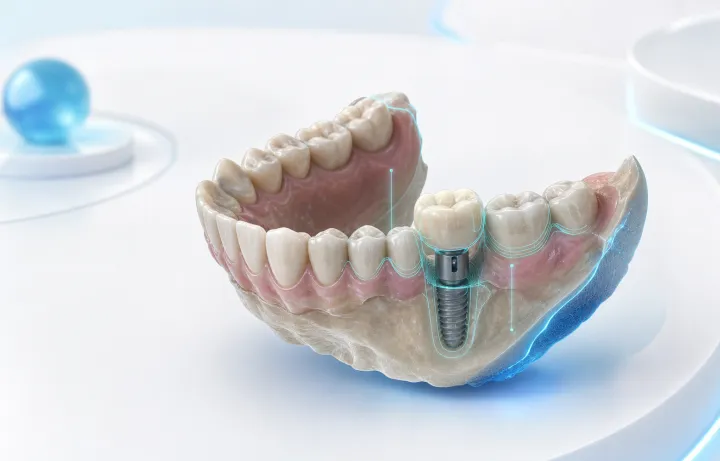
Implant crowns, scanbody context, bridge units, veneers, inlays and onlays.

Occlusal splints, bite registration, diagnostic models, dentures and try-ins.
Scans, photos, shades, material choice, CAD output, milling and printing parameters.
SmileCAD AI connects the clinical request, Lab selection, structured CAD work and production handoff in a browser-based workflow. You do not need a local CAD workstation, milling machine or in-house production team to send a complete digital case.
A dentist can delegate design and manufacturing to a suitable Lab. A technician can start from guided work items, AI proposals and visible validation gates instead of an unstructured CAD process.
Send scans, specify work, review the case and coordinate with a Lab from one workspace.
Find a partner, send structured requirements and let the Lab handle design or manufacturing.
AI proposes the next steps and keeps margins, contacts, thickness and export gates visible.
Browse selected manufacturer materials and prepare product/order handoff alongside the Case.
SmileCAD AI targets planning, candidate placement and gate checks first. The technician still reviews and approves the final result.
Typical prep and planning time.
Plan, candidate and checklist.
Technician approves final work.
Mesh, thickness, contacts, occlusion and export.
SmileCAD AI is a browser-first workflow layer for clinical intake, Lab selection, collaboration and production handoff. It complements dedicated desktop CAD rather than claiming to replace every specialist tool.
| Workflow capability | SmileCAD AI | exocad DentalCAD | 3Shape Dental System | Dentsply Sirona inLab CAD |
|---|---|---|---|---|
| Browser-first workflow without a high-end CAD workstationPlan, request, review and coordinate work online without maintaining a high-end local CAD workstation. | ✓ | × | ✓× | × |
| AI-guided clinical intakeSurface missing scans, photos, shade details and task instructions before handoff. | ✓ | × | ✓× | ✓× |
| AI design proposal and validation gatesGenerate a candidate, then keep fit, thickness, clearance, contact and occlusion gates visible. | ✓ | ✓× | ✓× | ✓× |
| Open Lab marketplaceDiscover suitable Labs by location, services, availability and delivery scope. | ✓ | × | × | × |
| Compare published Lab net pricesCompare service prices before selecting a Lab for the Case. | ✓ | × | × | × |
| Send a structured Case to a LabPass teeth, tasks, files, shade, material and status in one request. | ✓ | ✓× | ✓ | ✓× |
| Cross-role Case timelineKeep clinic, CAD and Lab updates, files and decisions in one history. | ✓ | ✓× | ✓ | ✓× |
| Material selection and order handoffRetain a material choice with the Case and prepare a selected-product handoff. | ✓ | ✓ | ✓× | ✓ |
| Machine, material and production contextKeep machine profile, material and export strategy with the Case record. | ✓ | ✓ | ✓× | ✓ |
| Case, scan and file managementOrganize case data, scans, references and related files in the workflow. | ✓ | ✓ | ✓ | ✓ |
| Browser-based case sharing and reviewShare case information and 3D context with collaborators beyond the local CAD workstation. | ✓ | ✓× | ✓ | ✓× |
Comparison reflects the standard, integrated workflow as of 2026. Optional modules and third-party connections are covered in Integrations.
SmileCAD AI converts scattered clinical inputs into a structured Case, makes missing information visible and preserves the decisions needed before milling, printing or external CAD.
Complete request, Lab comparison, photos, shades and follow-up updates.
Structured work items, review gates and editable production context.
Published services, net pricing, delivery scope and production export.
AI structures and proposes. The clinician and technician retain approval.
Illustrative pilot-workflow feedback from the roles SmileCAD AI is designed to connect.

“I can send the scan, shade and clinical notes once, then compare Labs and see every update without chasing messages.”

“A structured Case removes repetitive setup. The first pass and visible gates let me focus on the work that needs expert judgement.”

“Clear scope, net-price context and complete files make it easier to accept more predictable work and keep the production queue moving.”
Create an account first, then choose the workspace you want to evaluate on first sign-in.
For clinics sending structured cases to a Lab.
For technicians building and reviewing digital work.
For active laboratories coordinating complete production work.